Computer Vision-based LIDAR Data Processing for Autonomous Driving
Link to Video
Team Members
- Andre Murphy
- Andre Maldonaldo
- Nicholas Ravenna
Abstract
This projects intent was to tie the a Livox Horizon LiDAR to a computer program that woudl give it the capability of detecting cars and other objects on the road. The project was build using a Windows 10 laptop, Ubuntu 18.04(Windows Subsystem for Linux), and ROS Melodic as the robotics OS. The Livox LiDAR outputs data into .lvx format so using the Livox SDK, we converted .lvx files to .bag files. For the purpose of this project, we used sample .bag files to save space and use efficient data. The GUI used to display the object detection, which was a ROS PCL(Point Cloud Library), was RVIZ. The project works by simultaniously running 4 different terminals.
$ roslaunch livox_lidar_rviz.launch - Spins up ROS
$ rosrun multi_object_tracking_lidar kf_tracker - Runs object detection libary
$ rosbag play *.bag /livox/lidar:=/filtered_cloud - Publishes bag to object detection libary rostopic
$ rosrun tf stat_transform_publisher 0 0 0 0 0 0 1 map livox_frame 10 - Sets frame for RIVZ
The way this works is that each rostopic acts as a node that can subscribe and publish to separate topics, enabling “real time” data manipulation. For example, in our project the bag file runs and publishes to the topic filtered_cloud which is what the object detection node is subscribed to. The object detection node then alters the data on the topic and displays it in RVIZ. Computer hardware plays a huge part in performance if this project and without the proper specs, your object detection will not be real time.
Project Limitations and Problems
Most of the current object detection software used by Livox is build and managed by a large Chinese company called XPeng. We did our best to tie together existing technologies to build a functional object detection software. With proper communication from Livox, more programs could be accessed that would be beneficial to our project such as a Livox specific object detection software rather than the Velodyne packaged we used.
What We Built
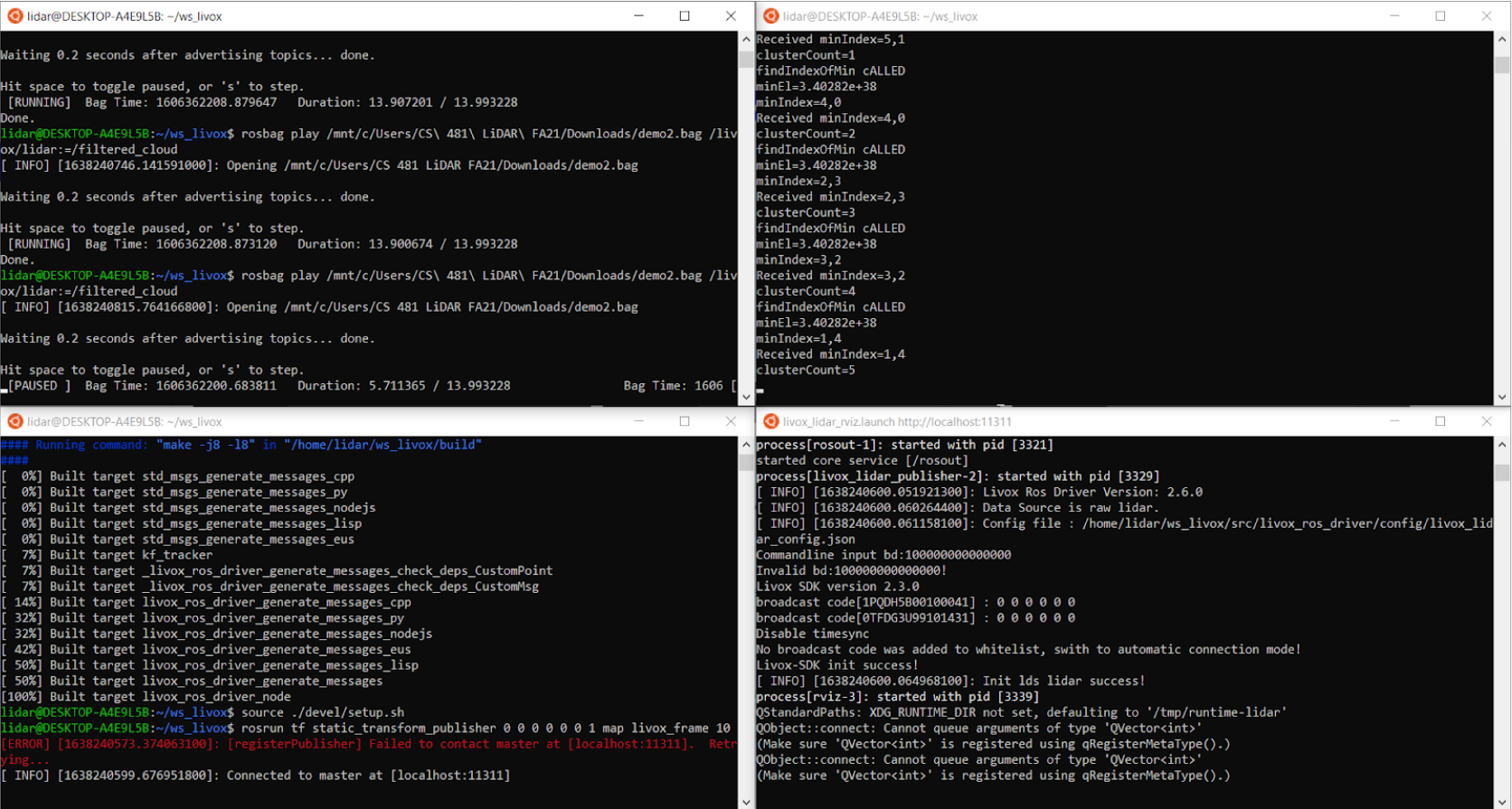
Here are all the four terminals required to run the program.
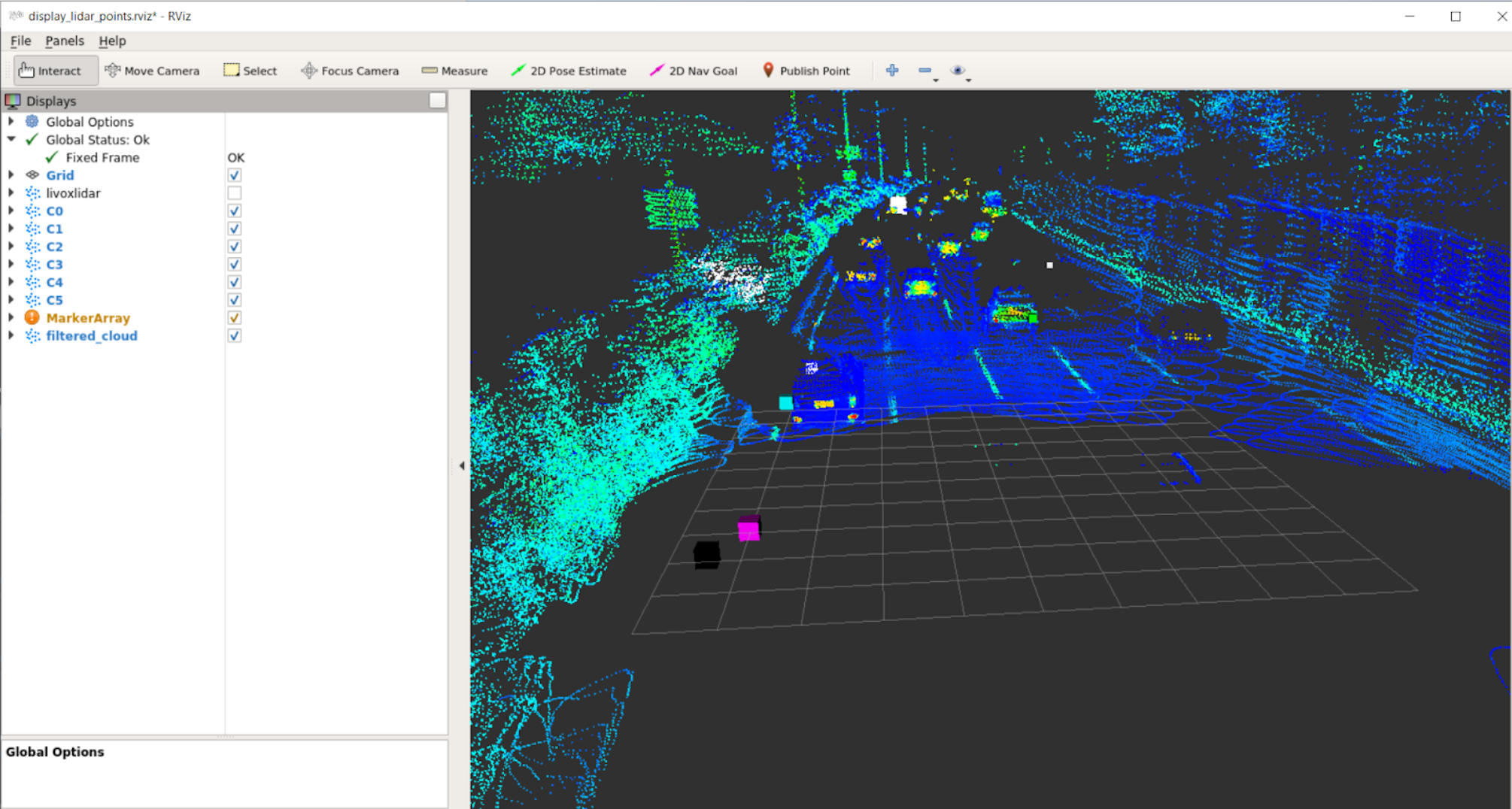
Here is an image of the RVIZ GUI. You can see all of the rostopics on the left of the viewing window.
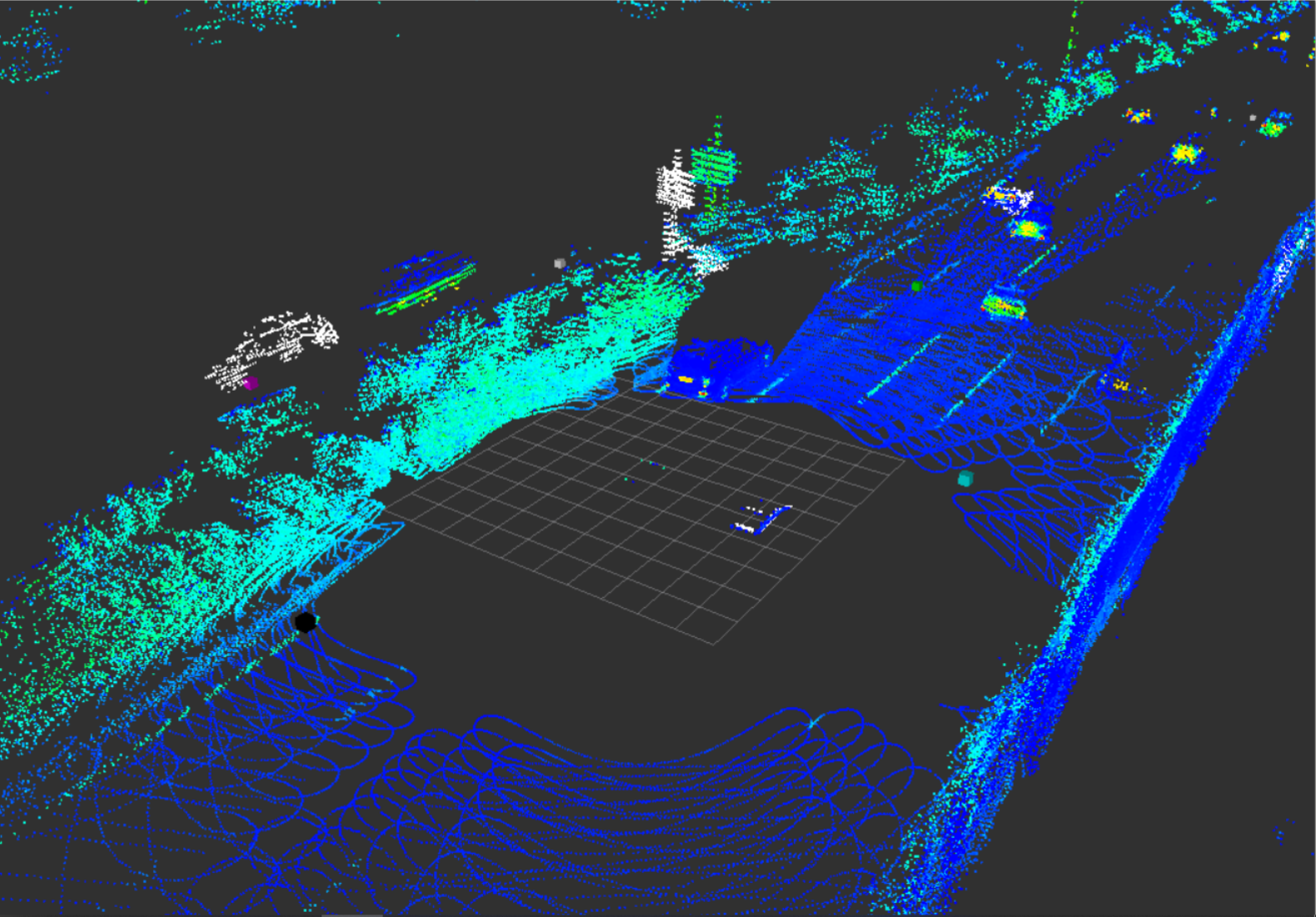
Here you can see our object detection in the works. The white copy of the shapes is the object detection highlighting objects. We initially wanted to get everything surrounded by color coordinated boxes but the repository we were using was no longer supported with modern technologies.